Integrations
Keep your PVS.
meda simply joins in.
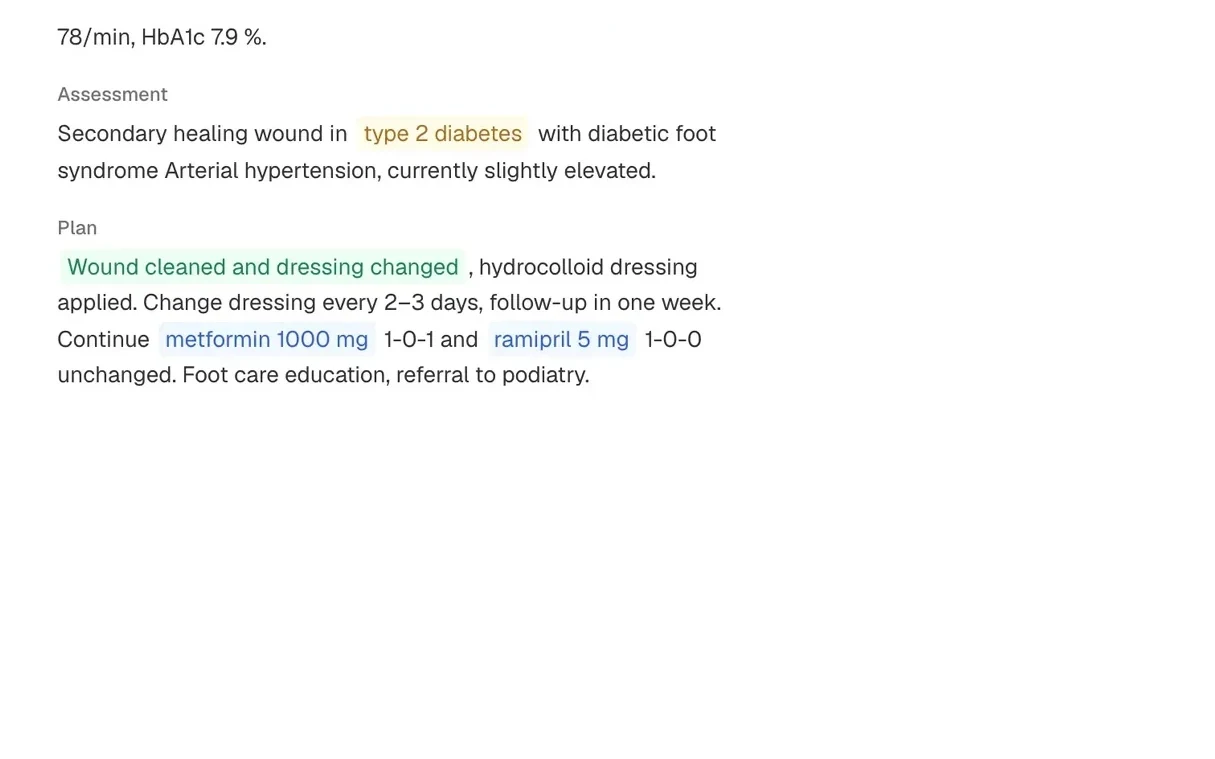
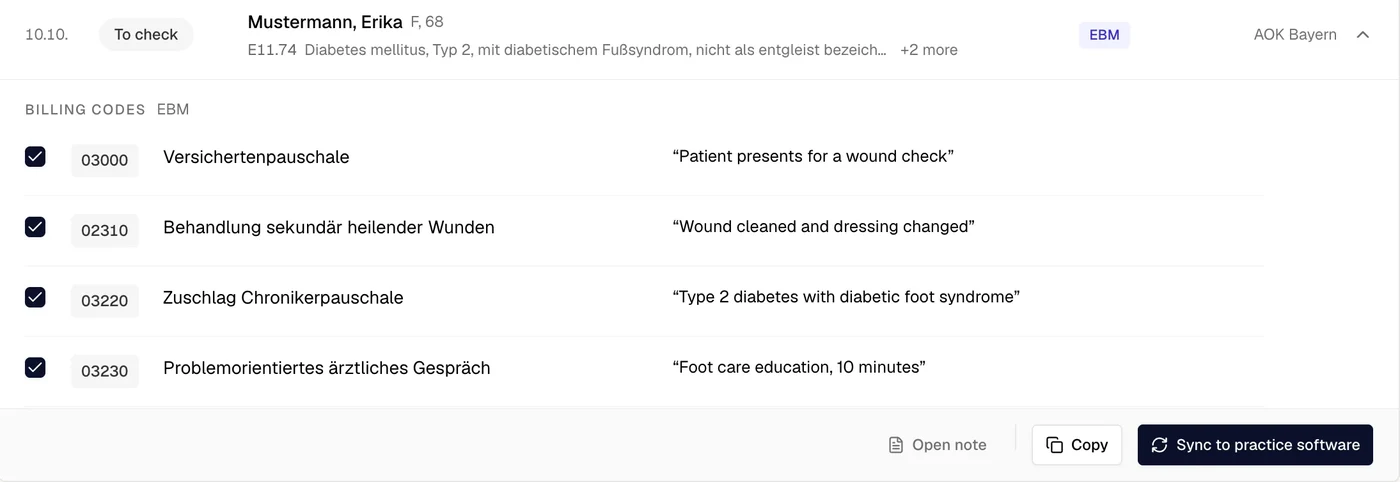
Open a patient in your PVS and meda opens with them. It writes the note, suggests the billing codes and, once you approve, sends them back. We set it up for you.






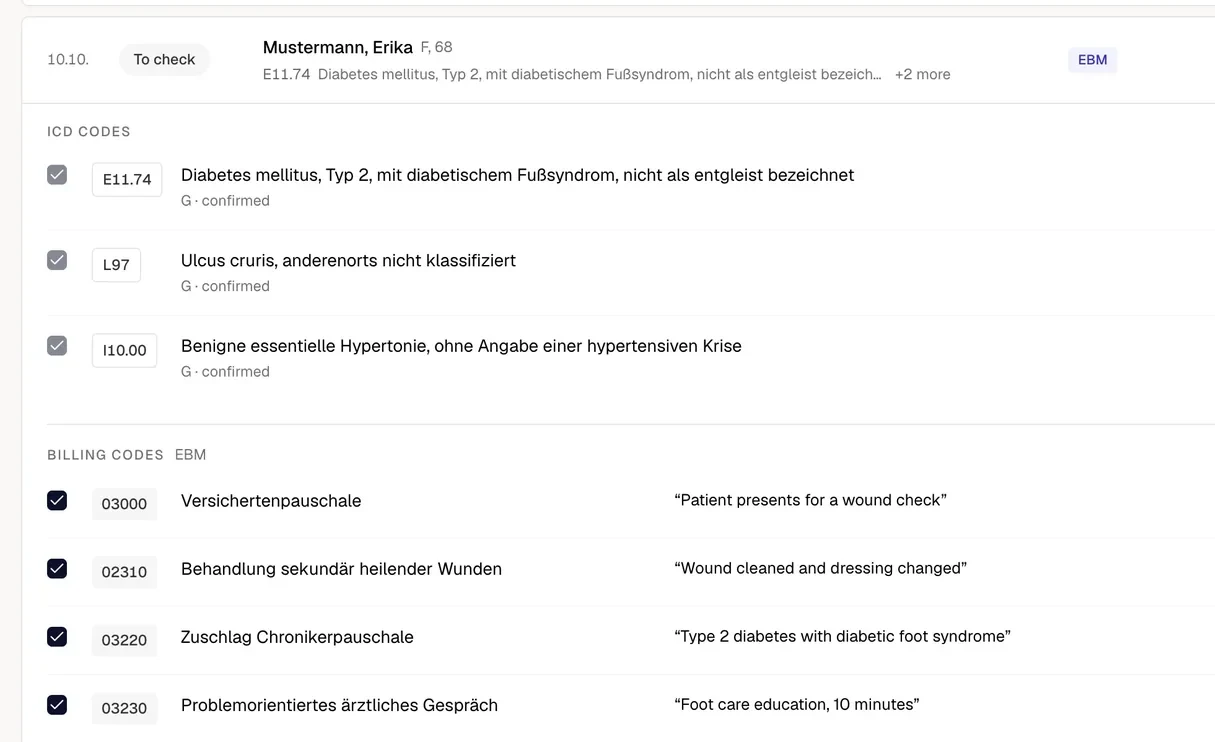
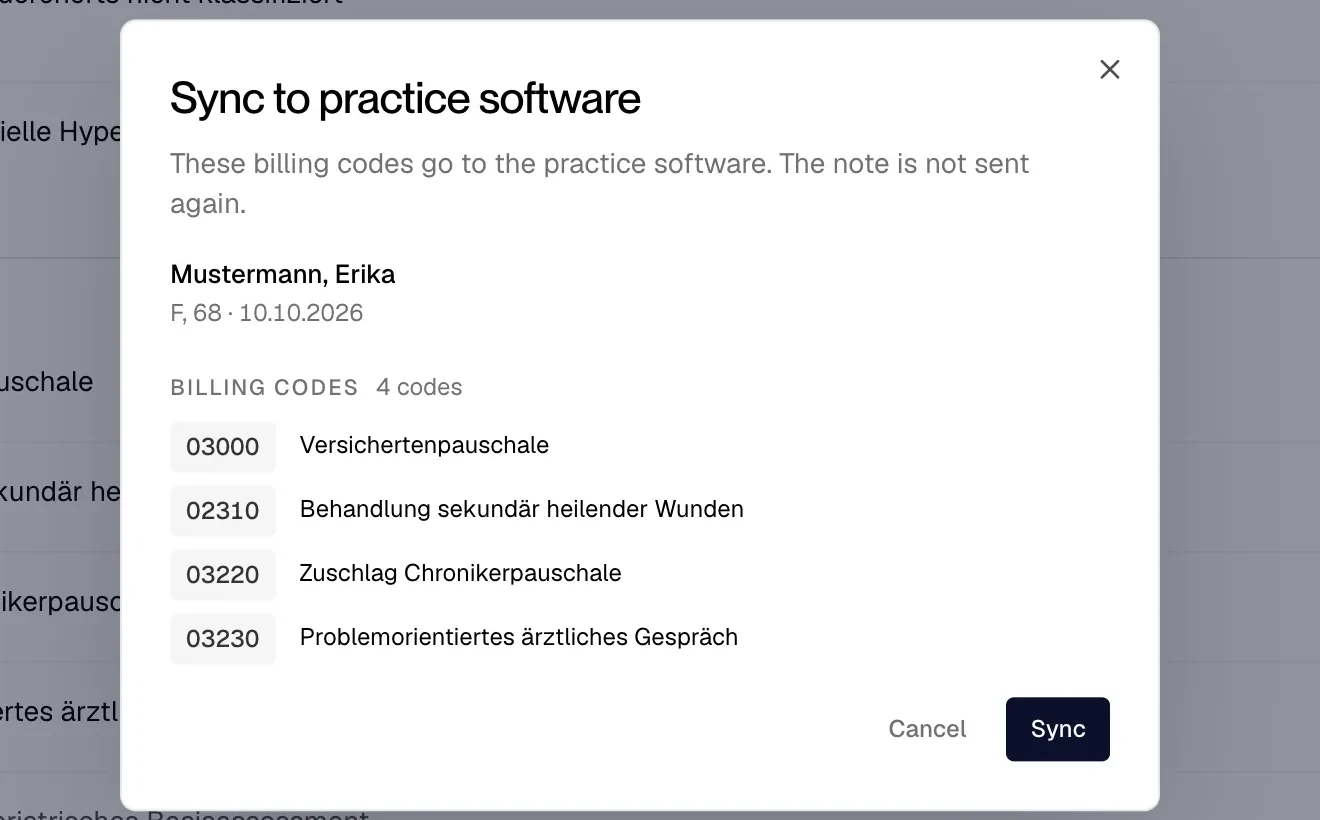
Synced to your PVS. No need to copy and paste.
Approved billing codes go to your PVS with the sync button. Copying stays only as a backup, in case a sync ever fails.

What stays
Little changes for your team.
Every record stays in it. No switch, no migration.
Your team logs in as before.
What happens after approval stays in your existing billing process.
The doctor decides every billing code (Ziffer), as before.
Getting started
Three steps to your first day.
- 01Book a demo
30 minutes, on your PVS.
- 02We set meda up for you
On site or remotely. Setup is included for practices.
- 03Open your first patient
Your team works in the PVS as before. meda opens with it.
Security, at a glance.
What holds before any practice data flows.
Processing under the GDPR, only on your instructions.
Our servers are in EU data centres.
Signed before any practice data flows.
meda Notes deletes audio after transcription.
Your practice’s data never trains AI models.
Every approved code keeps its link to the note.
Common questions
Does meda work with our PVS?
Yes. meda works above any practice software (PVS). In the demo we show it with yours.
Who sets meda up?
We do, on site or remotely. Setup is included for practices.
What does meda take from our PVS?
When you open a patient, meda takes over the patient data it may see, so nothing is typed twice.
What does meda write into our PVS?
The note, once the doctor has approved it, and the billing codes, once you approve and sync them. Nothing else.
What if the sync ever fails?
Then you copy the billing codes from meda into your PVS.
Do you build a PVS or look after practice IT?
Talk to us about an integration or a partnership: contact.