meda Billing
Bill completely,
without hunting for codes.
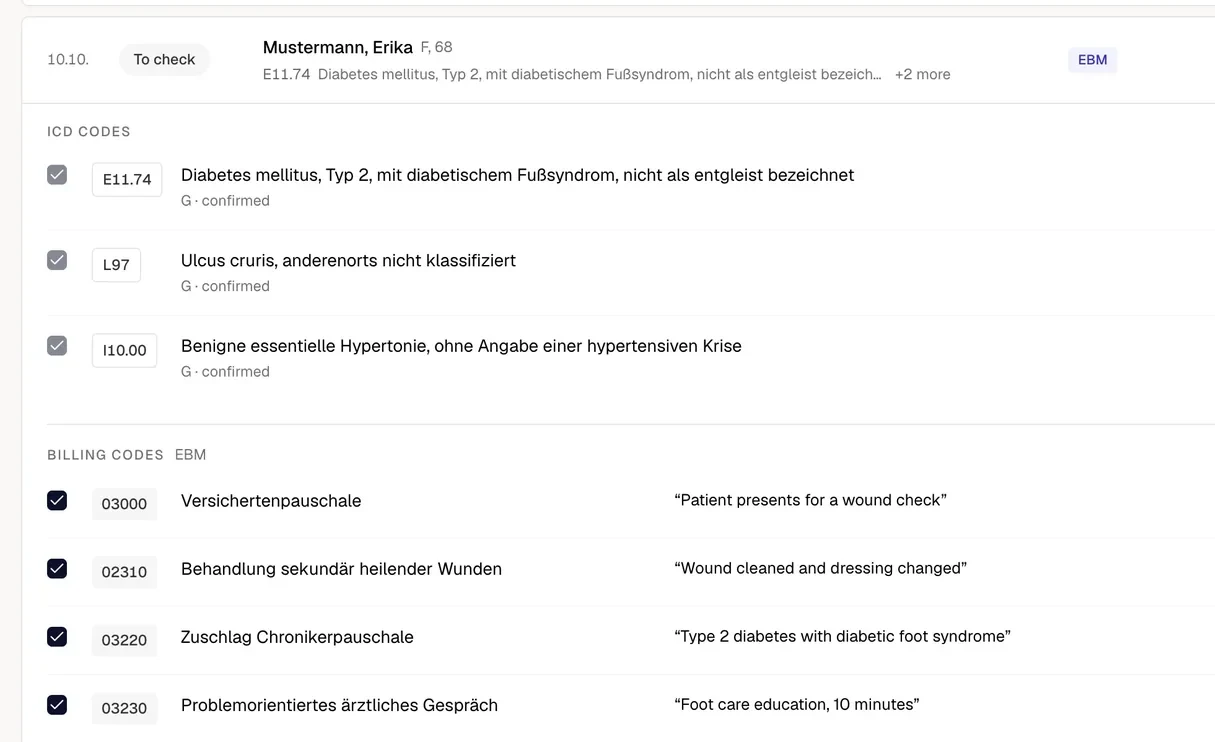
meda suggests the billing codes from the documentation meda Notes writes, each with its evidence, for EBM, GOÄ and HzV. Your team checks, you approve.
How it works
From the note to your PVS, in three steps.
Documented, but never billed: that fee is lost. meda finds it in the note while the consultation is still fresh.
Evidence
Every code carries its evidence.
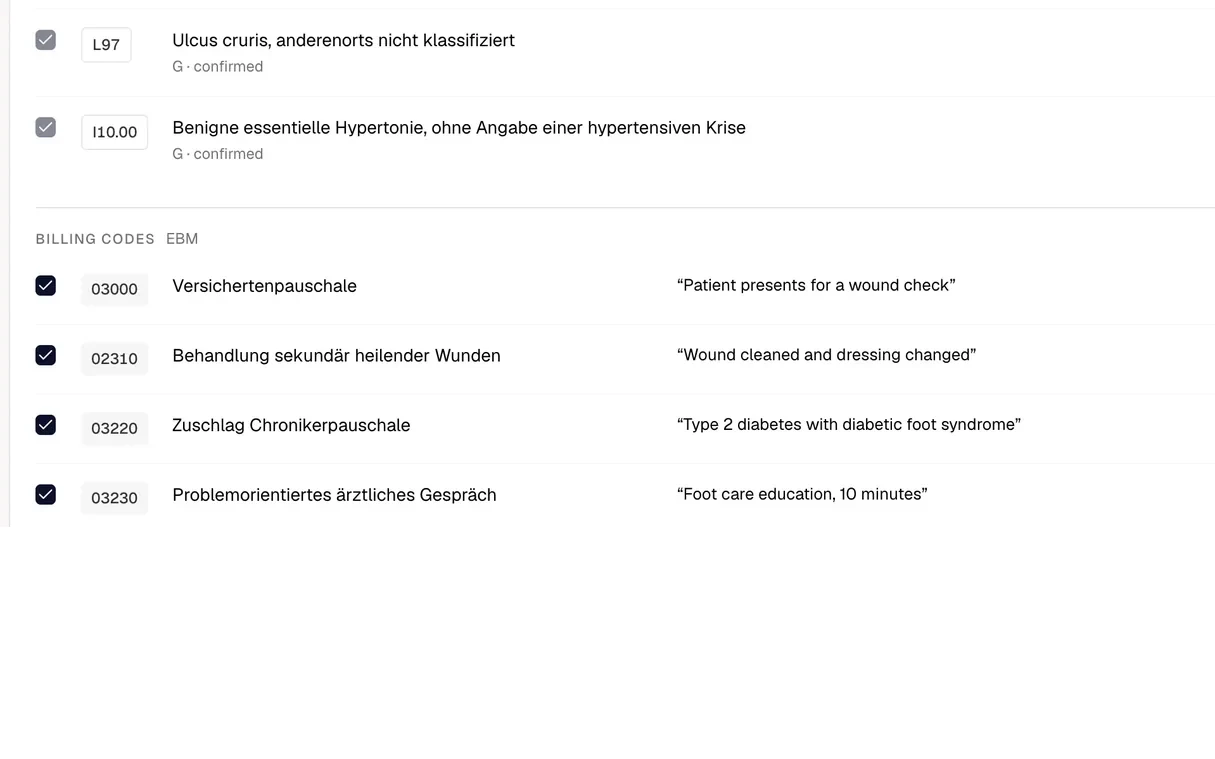
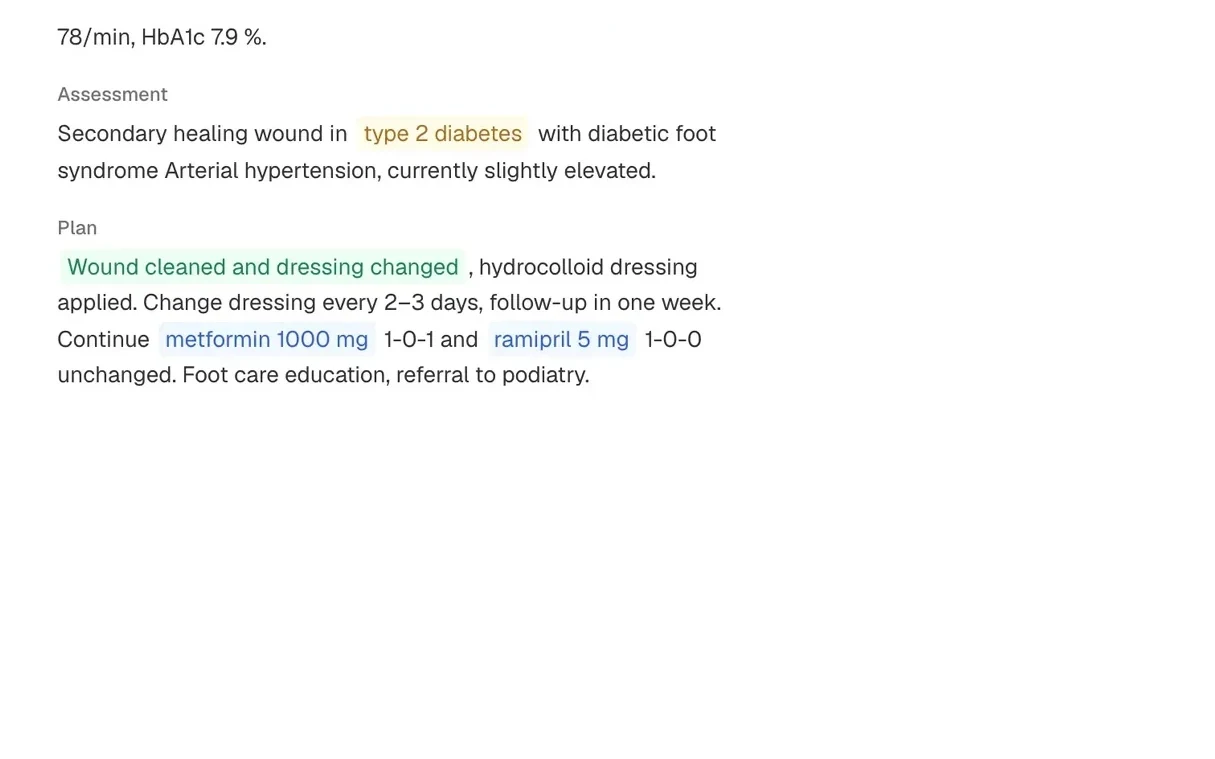
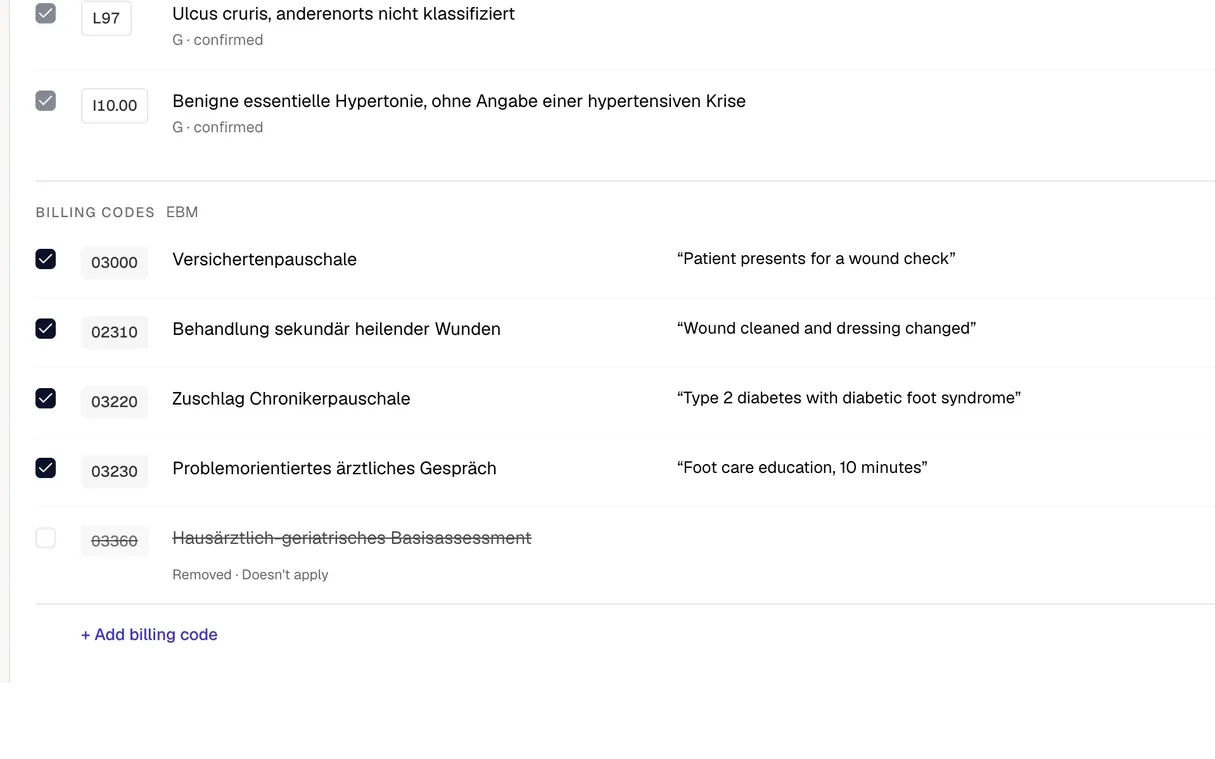
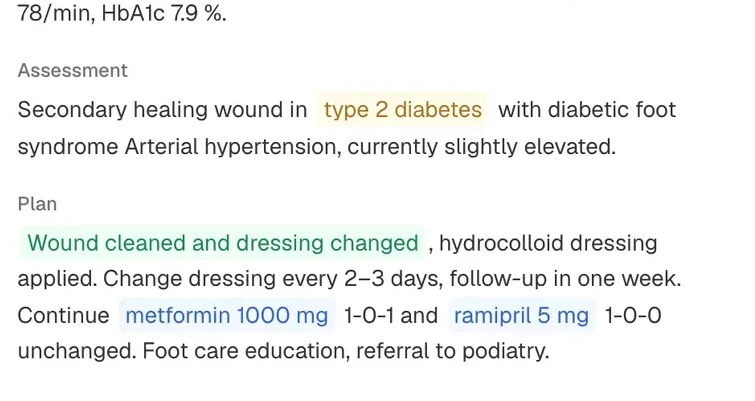
You see where every billing code comes from: the sentence from the consultation that supports it.
Allowed is not the same as proven. For every code, meda shows the sentence from this consultation that supports it.
Every code sits next to the ICD-10-GM diagnosis it belongs to, and stays linked to it after approval.
Doctor, billing staff and nurses see the same highlighted sentence, so a question is settled in the note, not from memory.
A normal day, with meda
Your team checks. The doctor decides.
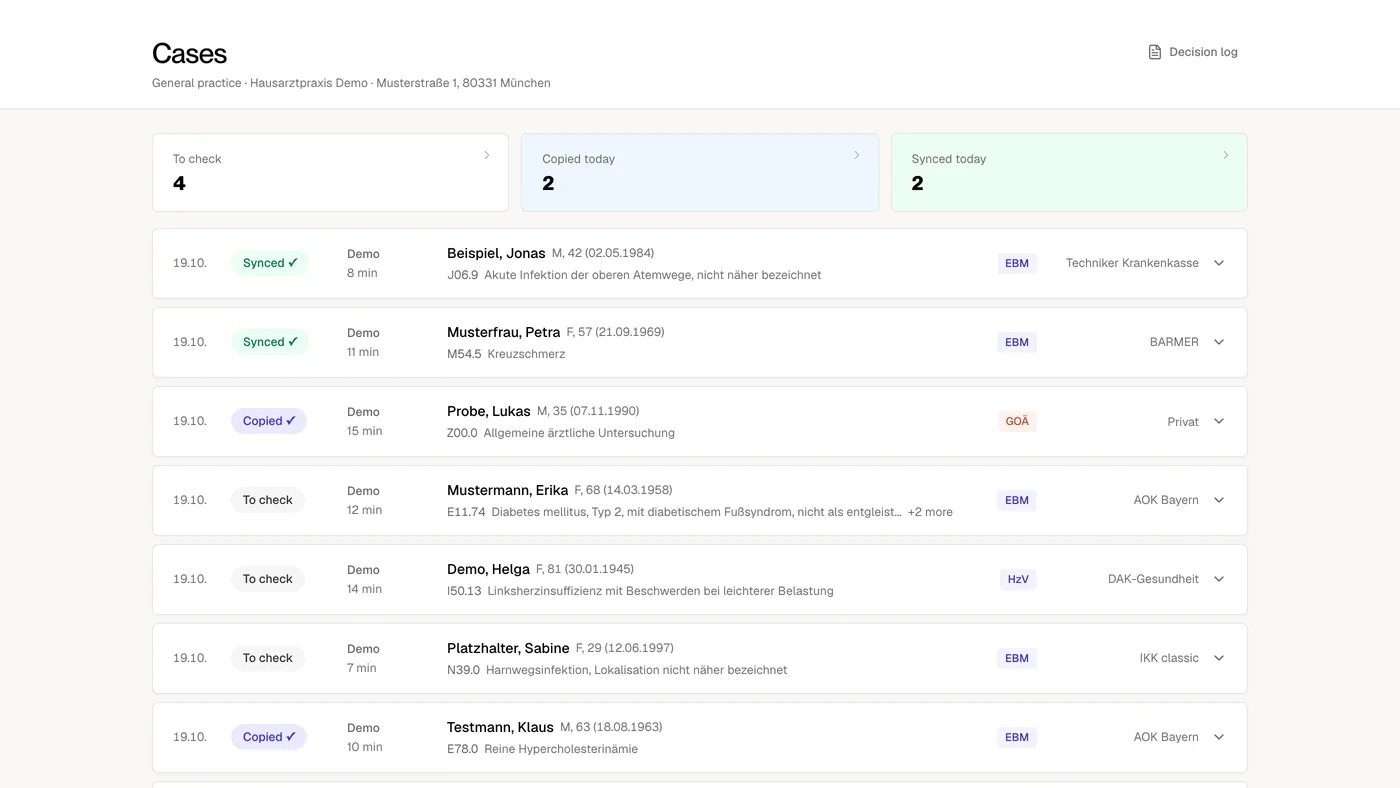
Every patient of the day, marked “To check” until someone acts. Open a case to see each code with its evidence, then copy it or sync it to your PVS.
Statutory, private, GP contracts: all covered.
Each catalog has its own rules. meda checks the note against the right one and shows the line that supports each code.
Talk time and surcharges that only the conversation proves.
EBM 03230 Problem-focused consultation“Detailed talk about the new diabetes diagnosis and treatment options, 15 minutes.”GOÄPrivate
Every service from the consultation, with its reasoning, including for the multiplier.
GOÄ 3 Detailed consultation, at least 10 minutes“Advice on blood-pressure treatment and side effects, about 20 minutes.”HzVContracts
The contract codes in a mixed day.
HzV Chronic-care surcharge, under the name your contract uses“Type 2 diabetes, quarterly check, HbA1c 7.1 %.”
meda Billing in many specialties
Works with your PVS.
meda works with any practice software (PVS). You keep the system you have, and only the codes you approve go into it.





 and more
Security, at a glance.
What holds before any practice data flows.
Processing under the GDPR, only on your instructions.
Our servers are in EU data centres.
Signed before any practice data flows.
meda Notes deletes audio after transcription.
Your practice’s data never trains AI models.
Every approved code keeps its link to the note.
Price
What it costs.
meda Billing is added to meda Notes, because it finds the codes in the documentation meda Notes writes. MVZ and practice networks from 3 sites or 20 doctors get a custom offer.
meda Billing
For practices with 1–2 sites
+ 159 €
per doctor per month on top, excl. VAT
Everything in meda Notes, plus:
- Free logins for your whole team
- Covers EBM, GOÄ and HzV
- Suggestions with evidence, you decide
- Also finds what usually gets missed
- No pile-up at quarter-end
Common questions
Does meda change anything in our PVS?
Only what you approve. Suggestions live in the review; nothing enters your PVS unless you approve it. What happens after approval stays in your existing billing process.
Is this billing automation?
meda automates the reading: finished notes cross-checked against the catalogs, evidence prepared. It never automates the decision. Every code is approved by the doctor. In ambulant billing that final step belongs to the physician by law, and meda is built around it.
Can the AI invent a code?
No — structurally. Suggestions can only come from the deterministic rulebook check; the AI layer explains them but cannot create one. If the AI layer fails entirely, the rulebook's answer stands. A missed code is recoverable. A wrong one puts you at risk in an audit. So the rulebook always wins.
Do we have to change our PVS?
No. meda works above your existing PVS, whichever one it is.
What happens to our data?
Our servers are in the EU, audio is never stored, and meda never trains on your data. Your practice signs a Data Processing Agreement (AVV) before the first record. The details are on our security page.
When can we start?
Book a demo. We show you meda Billing and plan the start with you.
See meda Billing in a demo.
30 minutes. We walk you through the three steps and answer your questions about your practice.